
Free GIF Face Swap Tools Compared With the Same GIF
Six GIF face swap workspaces, one animated GIF and one portrait. Compare guest access, free-use limits and the files we could actually save.

How far can you get with a GIF and a selfie before a tool asks you to sign in or pay? On November 6, 2026, we opened six GIF face swap workspaces in a fresh desktop Chrome profile. We picked the same two files in each, stayed signed out, and looked for a finished animation we could save. One site let us pick both files and press Generate before telling us that the day's free uses were already gone. Another put the sign-in requirement directly on the generation button. Those are quite different experiences for someone who just wants to send one reaction.
Only FreeGIFFaceSwap.com delivered a downloadable GIF in our six guest tests. Its file kept the source dimensions and frame count. For the other five, we can compare the access conditions we encountered, but we have no matching exports to rank for visual quality.
The two files in every test
We made a two-second loop from the left portrait. The camera moves a little closer and pulls back while the subject holds one eyebrow up. The image on the right is the replacement portrait. Both adults are fictional, and the same files are available here if you want to repeat the comparison. Open the 320 × 320 source GIF and the 360 × 360 replacement portrait to see exactly what each tool received.


The GIF has 16 frames and weighs 1,112,459 bytes. The JPEG is 22,073 bytes. That puts both files comfortably inside even the smallest advertised upload limit in this group. Using one unobstructed subject also removes a choice that could change the outcome: every tool has exactly one face to find. We kept the default single-face setup and used our own files throughout, including on sites that offered ready-made reaction templates.
The slow camera move makes it easy to follow the eye line and the boundary between cheek and hair. It also sets a limit on what this comparison can tell you. Our source has no blink, speech, head turn or passing hand. If you need a tool for a fast double take, take the results here as a starting point and run your own clip before buying credits.
What counted as a free result
We followed the route open to a visitor without an account or a payment method. We recorded the quota shown in the interface and what happened on our submission separately. A daily allowance on a banner is a promise about the service. An enabled Generate button means the site will accept a click. The point at which we could call a result free was when we had an exported animation on disk.
| Tool | Sign-up and advertised allowance | What the guest received | | ------------------------ | --------------------------------------------------------- | ------------------------------------------------------- | | FreeGIFFaceSwap.com | No account requested; free export, no numeric cap shown | Downloaded GIF: 320 × 320, 16 frames, 2.01 seconds | | FaceSwapGif.com | Site advertises free use without sign-up | Precheck passed; generation failed and sign-in appeared | | ClapClip (faceswap.free) | No account requested; site advertises unlimited swaps | Queued twice; both attempts timed out without a file | | GetFaceSwap | Guest trial; two images and one video per day displayed | Daily allowance exhausted on submission; no file | | AISWAPFACE | Site said no credits required; sign-in required to create | Reached review with both files; no guest download | | Live Face Swap (local) | Sign-in and credit quote | Reached sign-in gate; no guest download |
GetFaceSwap accepted the files, then reported an exhausted allowance
The GetFaceSwap GIF editor was easy to enter as a guest. Its workspace offered both templates and custom uploads, so we selected the single-face option and chose our own scene. The two input cards showed our filenames and sizes. After the second selection, the status changed to “Ready to generate.” Up to this point, someone following along could reasonably expect to leave with a free GIF.
The allowance displayed near the top was two images and one video per day. That wording leaves a practical question for GIF users: which bucket pays for an animated file? We submitted our loop once. The interface reported that today's free uses were used up and offered an upgrade. It also explained that the trial can be used without an account and that signing in lets you buy credits. We stopped there. We could verify the guest upload and the quota message, but the interface did not tell us why this browser's request hit the limit or which bucket the GIF would have used.
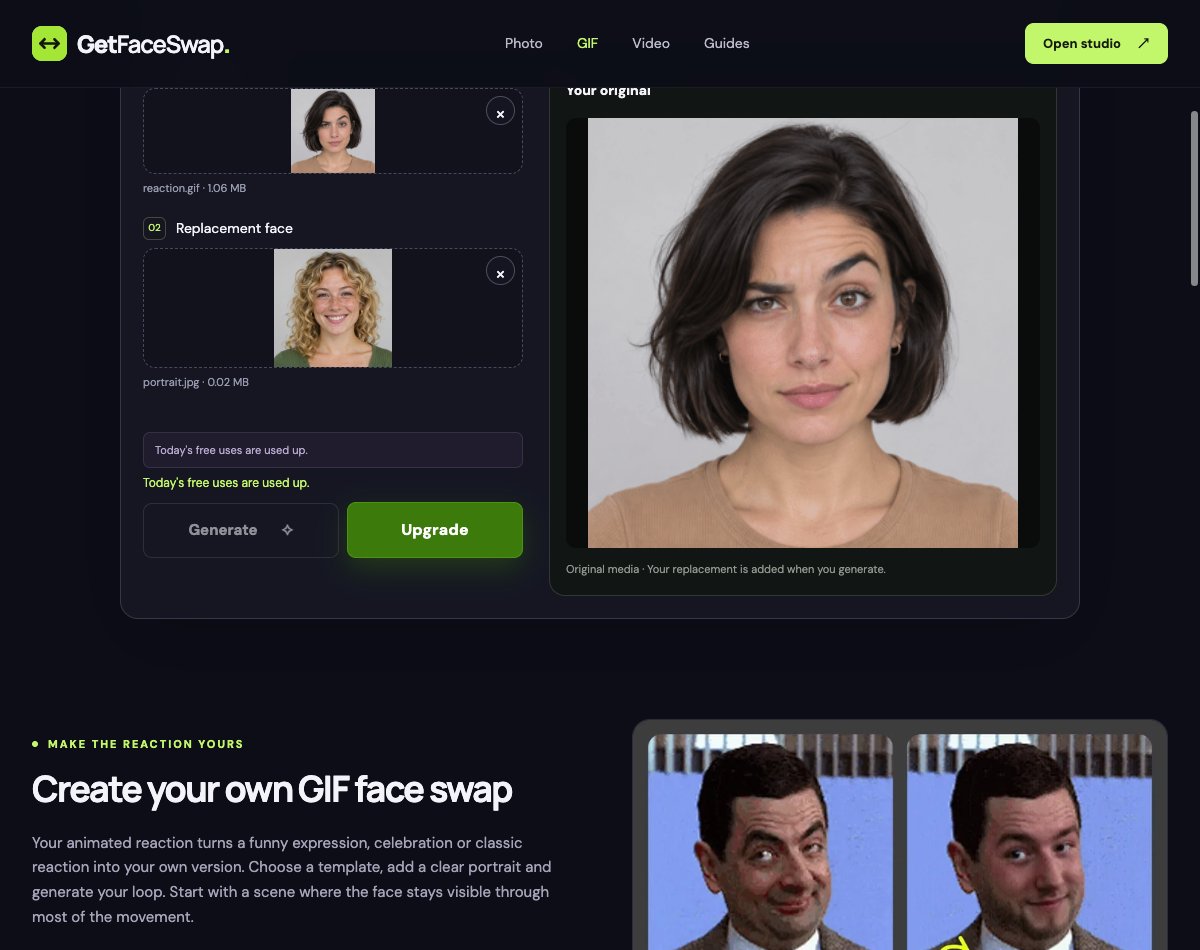
Pay attention to the label above the large preview if this happens to you. On our screen it identified the media as the original. Playing that animation proves that the upload worked. Judging its eyebrows, sharpness or smoothness would just be judging our own source file. We recorded the download quality as unmeasured.
Live Face Swap showed the sign-in requirement before generation
We opened the GIF Face Swap workspace in the local version of this site and selected the very same files. The file controls were available immediately. The action below them read “Sign in to generate,” so the guest boundary was visible before submitting anything. If your definition of free includes finishing without an account, this is the point that answers your question.
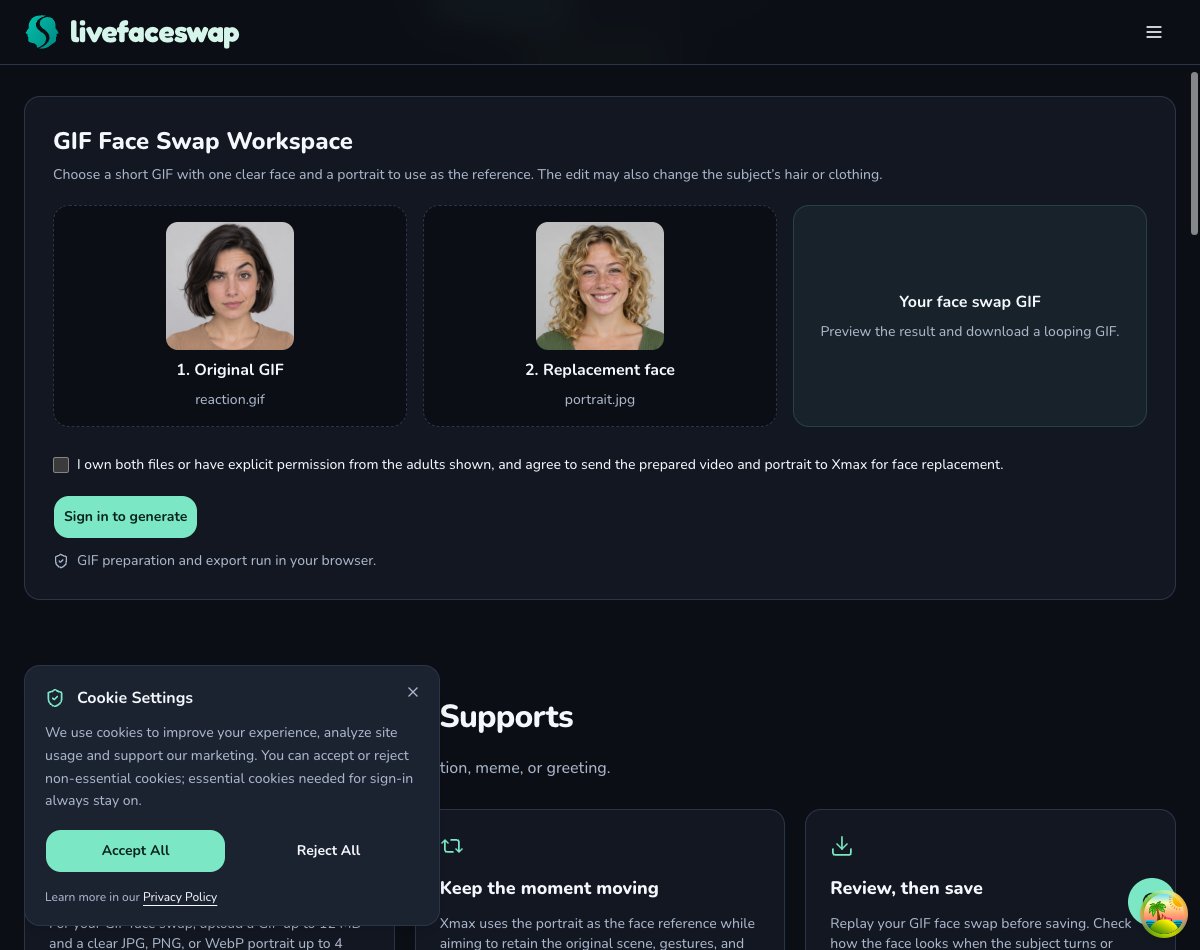
For a signed-in user, the workspace is designed to show a maximum credit charge before submission and the actual charge after a successful job. Our signed-out session established neither a new account's balance nor the cost of this particular run. The documented export ceiling is 640 pixels on the longest edge. That number is useful when preparing an input, but it cannot tell us what a downloaded version of this 320-pixel file would look like. We kept it out of the measured output column.
FreeGIFFaceSwap produced a downloadable loop in the browser
The FreeGIFFaceSwap editor took the longest preparation step before we could even press Create. Its model download showed a total of 278.9 MB. We left the page open, selected the files, confirmed permission to use the faces, and waited for the model to be ready. For someone making a single two-second reaction, that first download is a real cost in time and bandwidth, even though we never saw a charge or a sign-in screen.
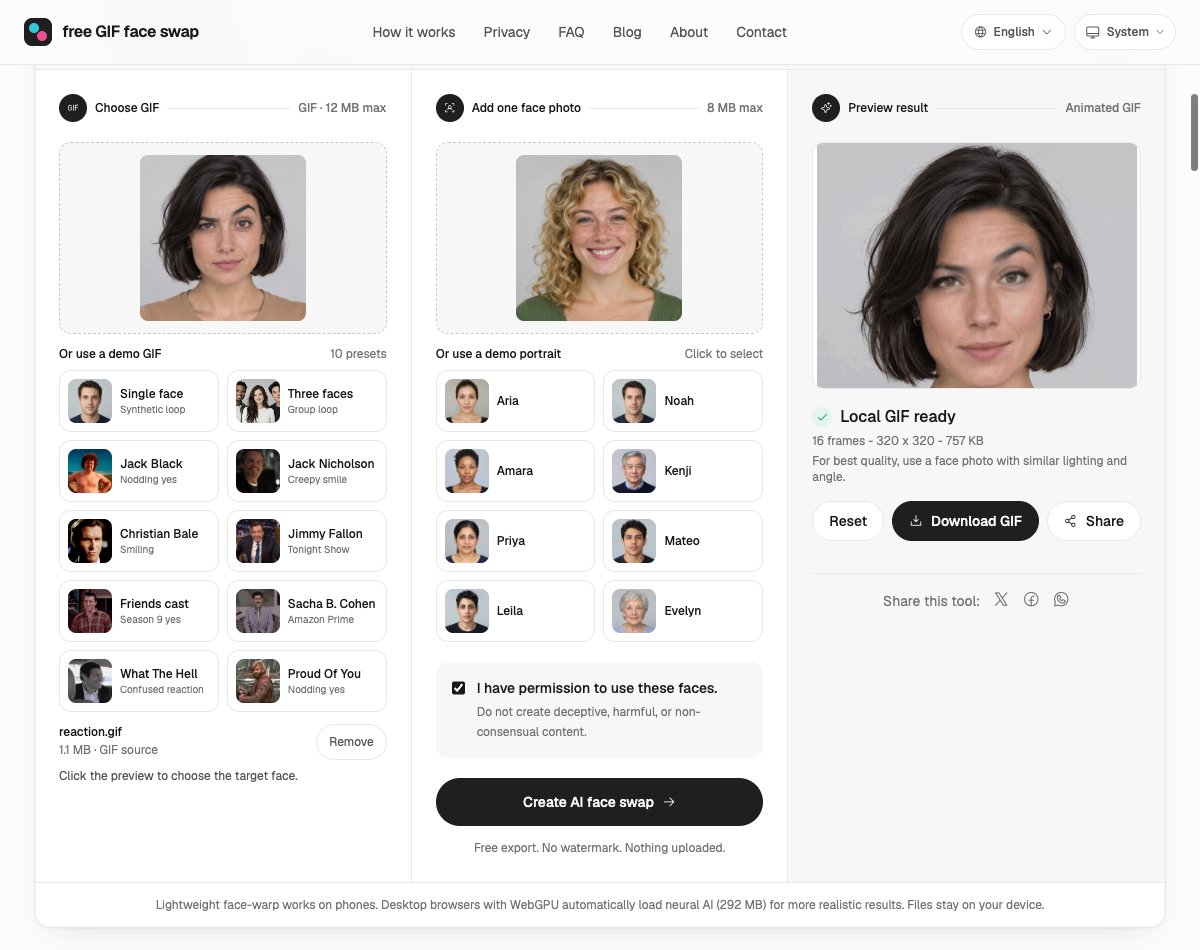
The actual guest download measured 320 × 320 pixels, 16 frames, 2.01 seconds and 774,857 bytes. The source had the same dimensions, frame count and duration. Look at the opening frame: the dark bob, earrings and tan top remain, while the mouth and eyes change. The brows and eyelids look softer than in the source portrait. The smaller file kept the camera move, but preserving the frame dimensions did not preserve every facial detail.

FaceSwapGif checked all 16 frames, then requested sign-in
FaceSwapGif recognized our upload as a two-second, eight-frame-per-second animation. We added the portrait, confirmed authorization, and pressed Create. The interface started uploading and creating a task. It then displayed “Generation failed,” and the action changed to “Sign in to generate.” The public gallery below still contained GIFs from other jobs. We excluded those from the download comparison.
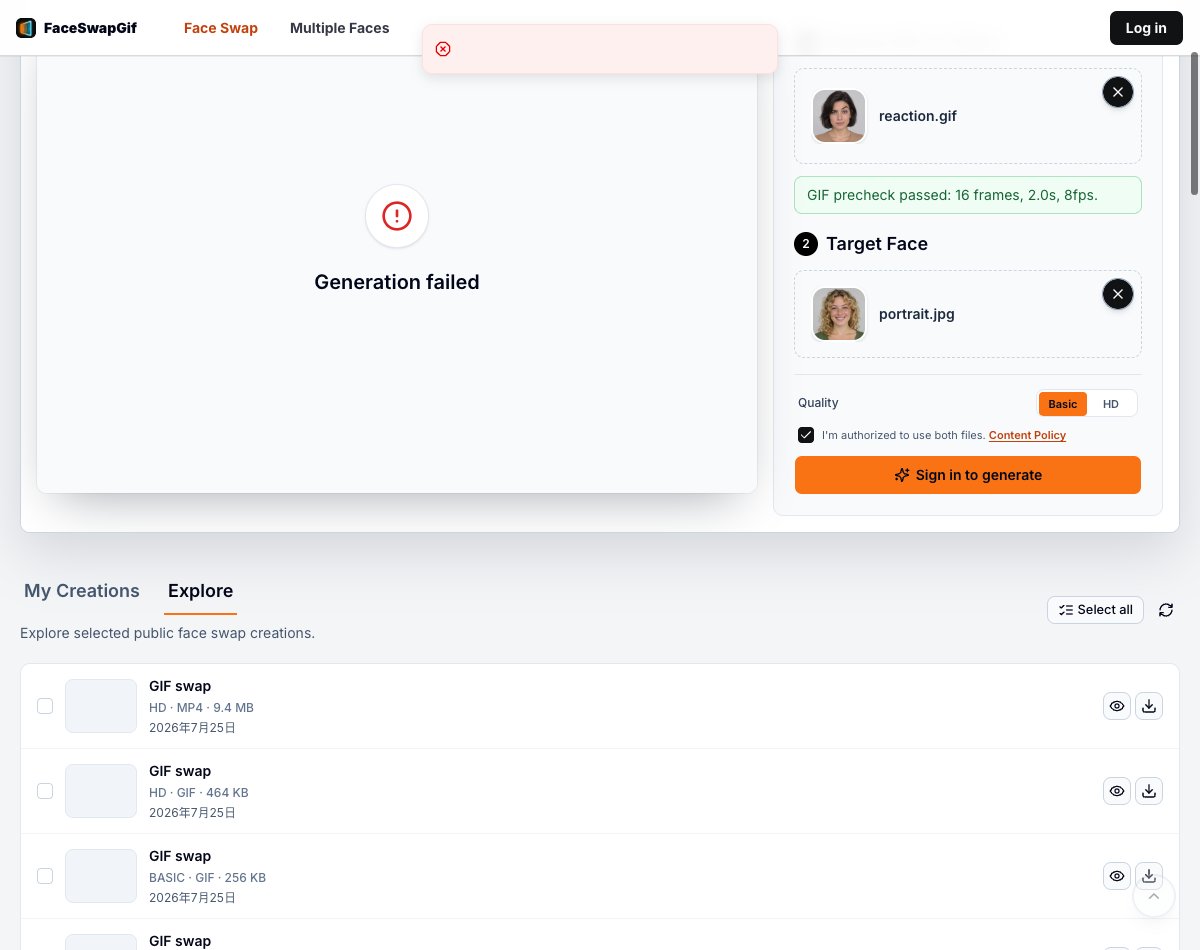
Two different reasons a free download can be unavailable
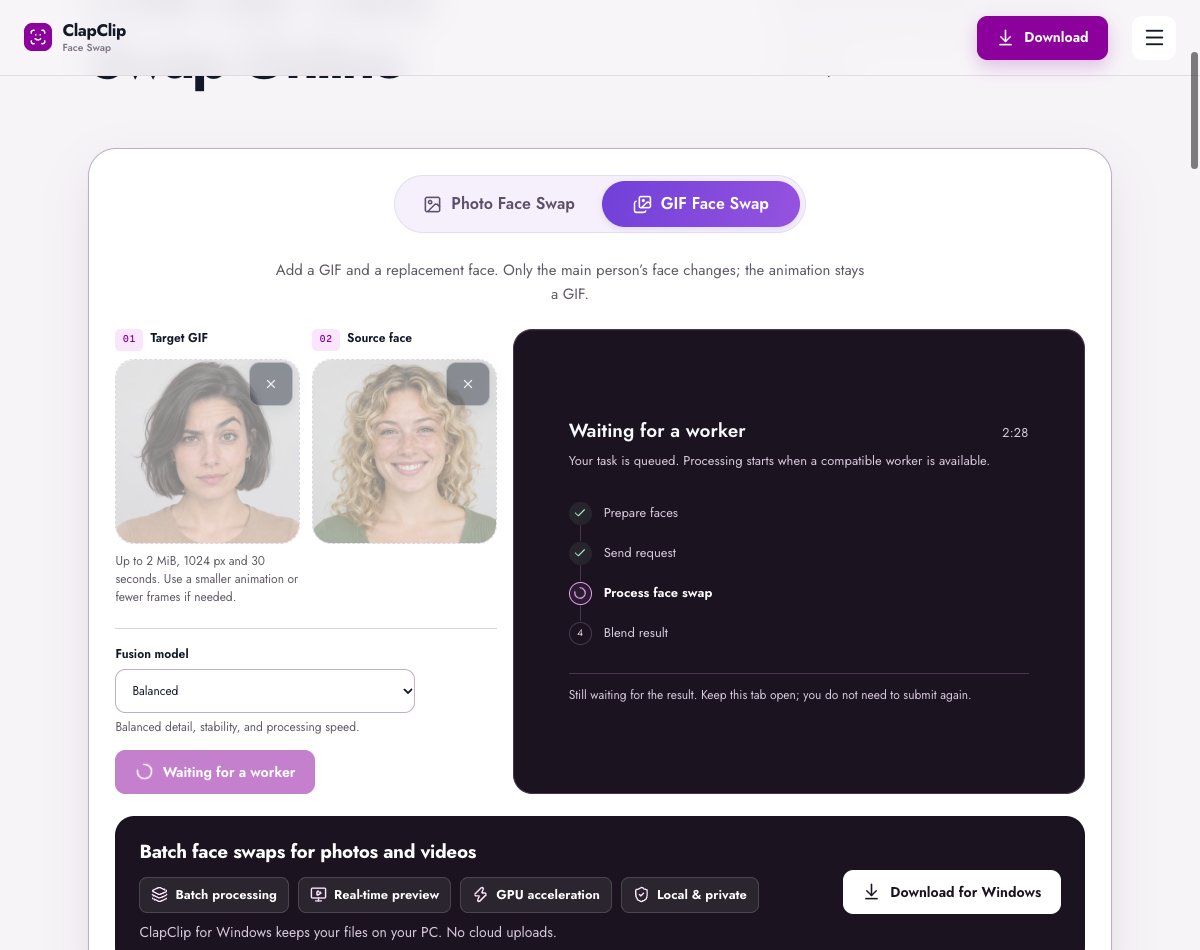
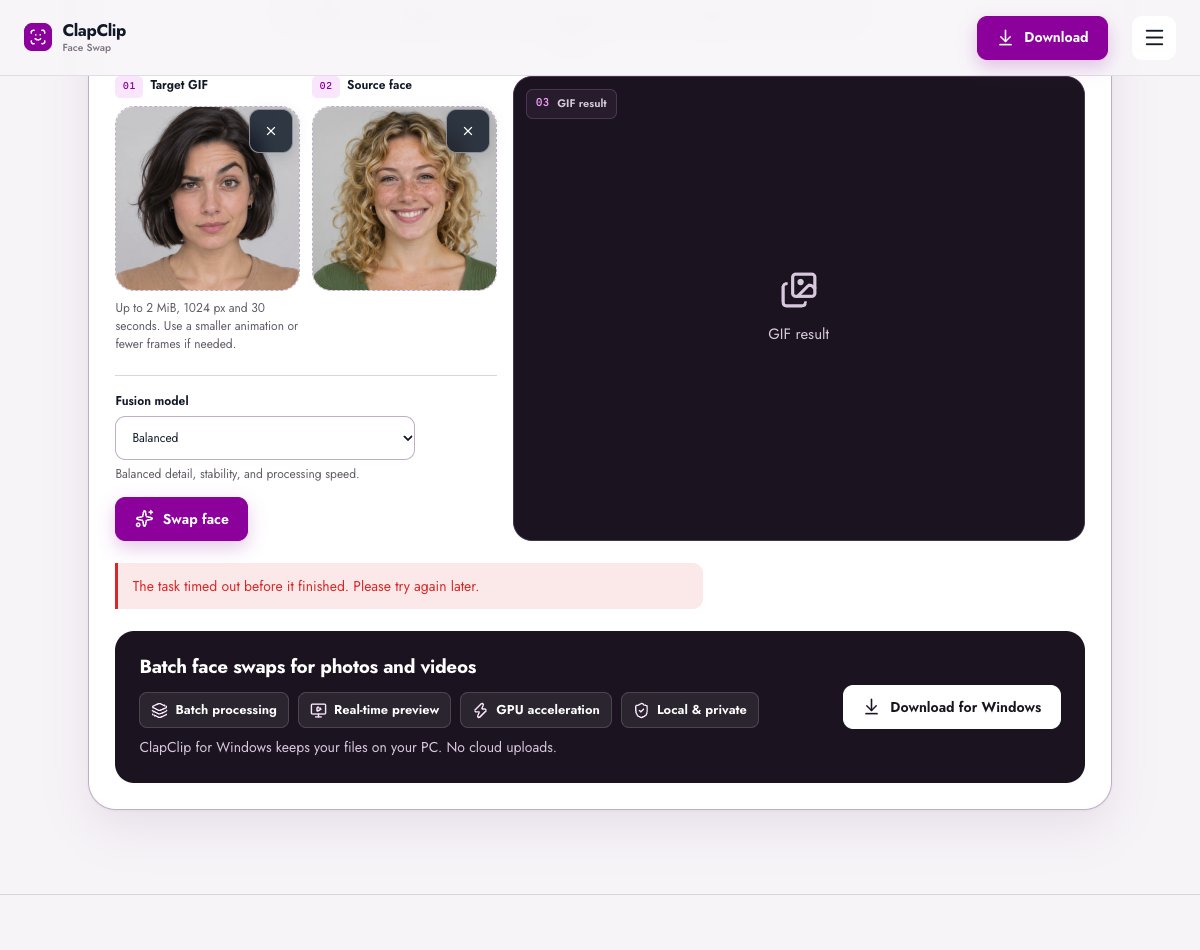
ClapClip accepted the loop and prepared the replacement face without asking for an account. We kept the default Balanced model. Its status panel confirmed the request and then showed a wait for a compatible worker. The task timed out. We tried once more with the same files and saw the same timeout. Its promise to preserve size and timing is something we would check against a returned file before using it to recommend this service for a particular output quality.
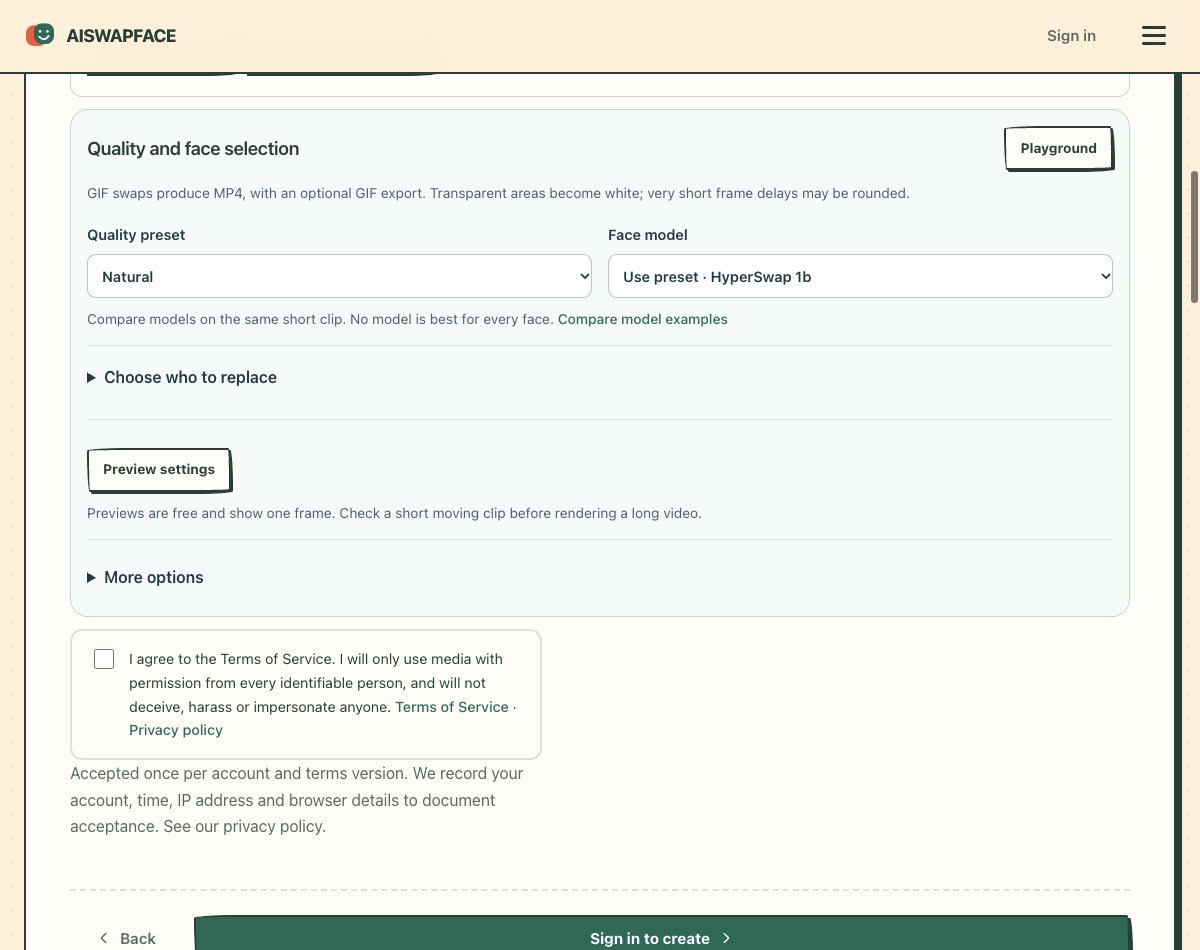
The AISWAPFACE editor also accepted our two files, identified the source as a two-second clip, and took us to a review screen. It displayed a free-service notice alongside a button labeled “Sign in to create.” Its page offered a finished example that visitors could download. That example uses different subjects, so substituting it here would have defeated the purpose of testing the same GIF.
How to read the download comparison
For a reaction GIF, open the saved file outside the tool first. A preview panel can stretch a small animation to fill a wide card, making a perfectly adequate chat image look soft. The reverse is also possible: a sharp still thumbnail can conceal a distracting change halfway through the loop. Look at the file at its native size, then at the smaller size where the recipient will actually see it.
In this scene the eyebrow is a particularly good landmark. Start on the wide frame and follow it through the closest point of the zoom. Next look at the freckles and the edge of the mouth. The portrait smiles while the original subject holds a skeptical expression, so there are two separate questions to ask: can you recognize the replacement face, and can you still read the original reaction? Simply counting the pixels cannot answer either one. Frame dimensions and frame count are useful because they tell you whether to investigate resizing or changes in timing before blaming the face replacement.
Finally, decide what you want the word “free” to buy you. For a single chat reply, an actual guest download on the day you try it matters more than a large advertised allowance. For repeated use, record how the second and third submissions are counted before planning a batch. If a service shows its quota only after upload, begin with one short loop you have permission to share. You will find out where the gate is without preparing a whole folder of reactions first.