
How Accurate Is AI Virtual Try-On? What It Can Tell You About Fit
See what AI virtual try-on can show about an outfit, then compare body and garment measurements to choose between jacket sizes.
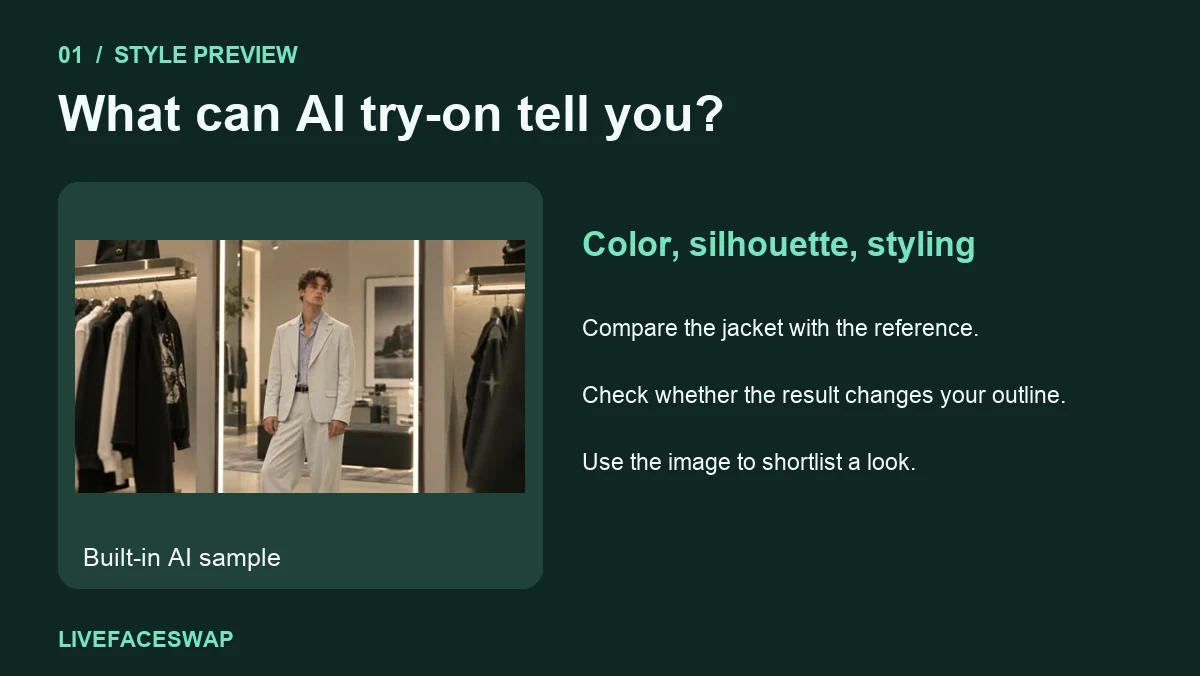
A jacket looks comfortably loose in your AI try-on preview. The shop has a medium and a large, and the picture makes it feel as if you’ve already tried one of them. Before you choose, check what went into the image. If the tool used a photo of you and a picture of the jacket, the space you see around your shoulders or chest is a generated approximation. The preview can help you decide whether you like the look. To choose a size, use the seller’s sizing guidance and measurements.
Accuracy depends on what you’re checking. You might be satisfied that the AI preserved the jacket’s color and silhouette, while a tailor would need to know where the shoulder seams actually sit. Treat style, resemblance to the product, and physical fit as separate questions.
What does an accurate virtual try-on look like?
Start with the parts you can compare directly. Put the garment reference beside the generated preview and look at the main color, overall shape, and length as shown in the image. For a blazer, you might also check the lapels, the position of the pockets, and whether the front is open or buttoned. If a detail matters to your purchase, confirm it in the retailer’s own product photos.
Next, compare the preview with your original image or camera feed. Does the outline of your shoulders look similar? Is the waist in the same place? If the generated image changes your proportions, some of what you like about the outfit may come from changes to the person in the picture. That’s a reason to compare the original again before ruling a style in or out.
| What you want to know | What to inspect | What to check separately | | --------------------------------- | ---------------------------------------------------------------- | --------------------------------------------------------------------- | | Would I wear this color? | The dominant color next to your existing outfit | Retailer photos and customer photos for color in different light | | Do I like this silhouette? | The broad shape, visual length, and neckline | Actual garment length and the listing’s description of the cut | | Is that the same jacket? | Lapels, pockets, closures, and prominent patterns | Product photos for details the model might redraw | | Can I layer a sweater underneath? | How the combination looks in the preview | Chest and shoulder measurements, fabric, and your layering preference | | Should I order M or L? | Use the preview to decide whether the style is worth considering | The brand’s size chart and available garment measurements |
Google describes its generated try-on image as a visual approximation and directs shoppers to the retailer’s size information for fit. In fit-aware virtual try-on research, the authors of the FIT dataset highlight the scarcity of paired body and garment measurements, particularly for examples of garments that are too big or too small. A plausible image can therefore leave the size question unanswered. Google Shopping Help · FIT research paper
Why two pictures can make M and L look equally plausible
Some product listings use the same photo across all sizes. If you supply that same garment image twice and change only which size you’re thinking about, the tool may receive identical visual information both times. Even if the two generated results differ, the difference may come from the generation process. A wider sleeve in the second image gives you little basis for estimating how many centimeters wider the actual sleeve will be.
Motion can expose other quirks. In a live webcam try-on, face forward, lift one arm, then make a small turn. Watch whether the collar stays in place and whether the sleeve changes when your hand crosses the garment. These checks help you assess the generated view over time. To find out whether the real sleeve will pull when you reach forward, use the garment’s construction, measurements, and the seller’s fit guidance. If you’re comparing the formats, follow the same movements in our photo and webcam try-on guide.
A 20-second illustrated guide using a built-in AI sample and hypothetical measurements. The sizing example is explained below.
A worked example with a jacket you already own
Suppose you like the relaxed silhouette in the preview and want a jacket you can wear over a light sweater. Find one you already own that feels comfortable over that sweater. Close it, lay it flat on a table, and follow the shop’s measuring instructions so you can compare the same points. Keep the tape straight and the fabric relaxed.
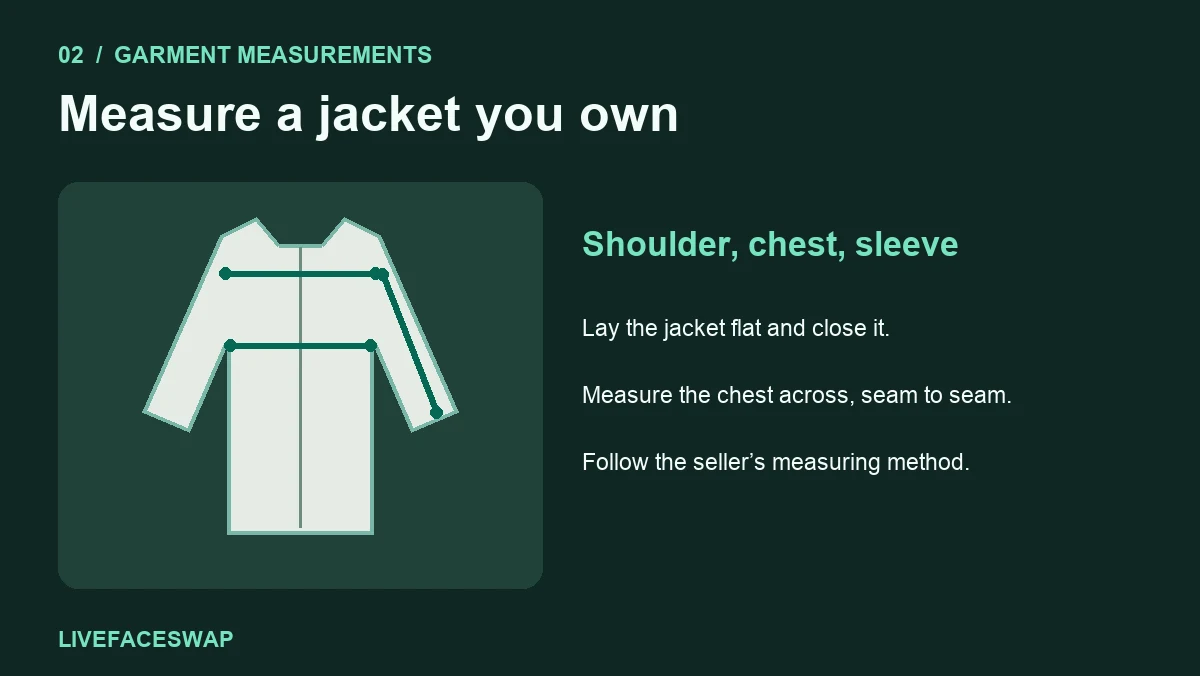
The retailer might publish body measurements or finished garment measurements. A body chart tells you which size the brand recommends for a person of a certain measurement. A finished garment chart describes the clothes themselves. A jacket’s flat chest width, measured from one side to the other, also uses a different convention from a chest circumference. Before comparing the numbers, check the column heading, the units, and how the seller defines the measurement.
Say your existing jacket measures 56 cm across the chest when laid flat. The shop’s hypothetical chart lists 54 cm for M and 57 cm for L, both measured the same way. The large is closer to your reference jacket in that one dimension. Now check whether it also has the sleeve length and shoulder width you want. If the large sleeves are considerably longer than your reference, you’ve found a trade-off the generated image may hide.
Check how similar the jackets are in construction. A soft, unlined jacket and a structured jacket can feel different even at the same chest width. A dropped shoulder can also change how the sleeve falls. If the listing provides only body measurements, follow that chart and read the notes on cut and layering. When one measurement is between sizes, identify the area you care about most and ask the seller for the missing garment dimension if it would change your choice.
A short checklist before you order
- Decide what you liked in the preview. Name one or two features, such as a cropped shape or a color that works with your trousers. Check those features in the actual listing.
- Find the chart for the specific product. Confirm whether it describes the body or the finished garment and whether the numbers use inches or centimeters.
- Compare compatible measurements. Measure your body for a body chart. Compare a jacket you own with a finished-garment chart that uses the same method.
- Check the area that usually causes trouble. For a jacket, that might be the shoulder seam, upper arm, chest, or sleeve. Include the layer you intend to wear underneath when judging comfort.
- Use the retailer’s fit notes and returns policy. A customer review can help flag a recurring issue such as tight upper arms. Check the return terms if you still have to choose between two plausible sizes.
Common fit questions
The preview looks tight. Should I order a size up?
Check the seller’s chart first. A tight-looking frame can come from pose, the garment reference, or how the model drew the clothing. Use your measurements and the cut of the garment to decide whether a larger size makes sense.
What if the preview changes my body shape?
Compare it against your source photo or live input. Use a clear front-facing garment reference and an evenly lit, steady view. If proportions keep shifting, narrow your judgment to visible details such as the general color or neckline. Our webcam try-on guide walks through a one-change-at-a-time setup.
Can I trust the color if it looks right on screen?
Use the preview to compare broad color choices. Check the seller’s photos for the specific shade and finish, especially for shiny fabrics or subtle colors. Lighting in your camera view and the generated image can change how a color reads.
If you’re deciding between two styles, try a garment on camera and compare the overall shape and color as you move. Once you’ve picked the style, open the seller’s chart and check the measurements that will matter when you put it on.